Using voice with AI tools


Overview
If you've never tried voice nor have any interest at all, then I can tell you this: voice with AI is very likely here to stay because it's so nice! I love it! I'm a huge fan of voice-mode overall with AI. It's so pleasant not having to type all the time. In this post I share my experience with it and a few reasons why I enjoy it.
Disclaimer: no I don't use voice in open office landscapes. Feels like I would disturb my colleagues too much. But I do often take some time off from my "normal desk" and sit somewhere else in the office, where I can (and do) use voice mode.
Claude Code voice mode initial release
In order to talk you gotta have some tooling for it. Claude Code released a voice mode feature a few weeks back and it was so useless. I could not even record one single usable sentence because I got some network error and Claude lost the buffer and I had to repeat everything again. It was one of the worst features released in a tool that I otherwise love.
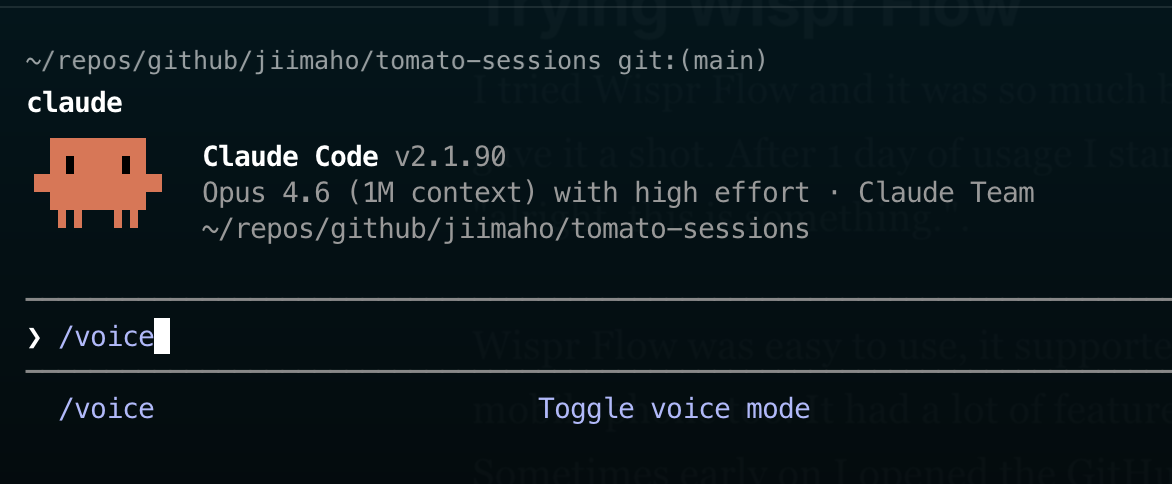
The way you enabled voice mode in Claude Code is with /voice command:
Then you hold down space while talking, and once you drop space, it records what you said:
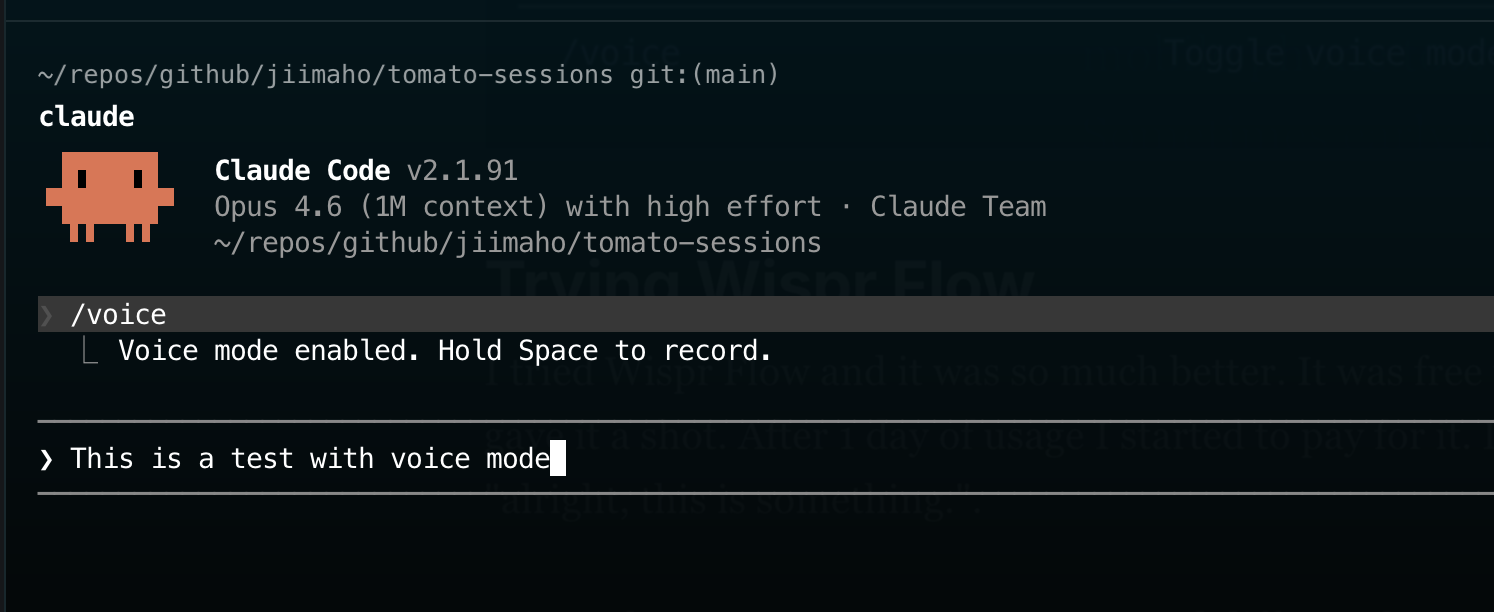
The good idea with this approach is that it's very easy to switch between voice, and then typing to reference some piece of code. And then continue with voice. All in all, that's really all there is to it. But the initial version was very unstable. In fact, so unstable it was completely useless. Some more problems? It only works in Claude of course, which might or might not be a big problem for you.
Trying Wispr Flow
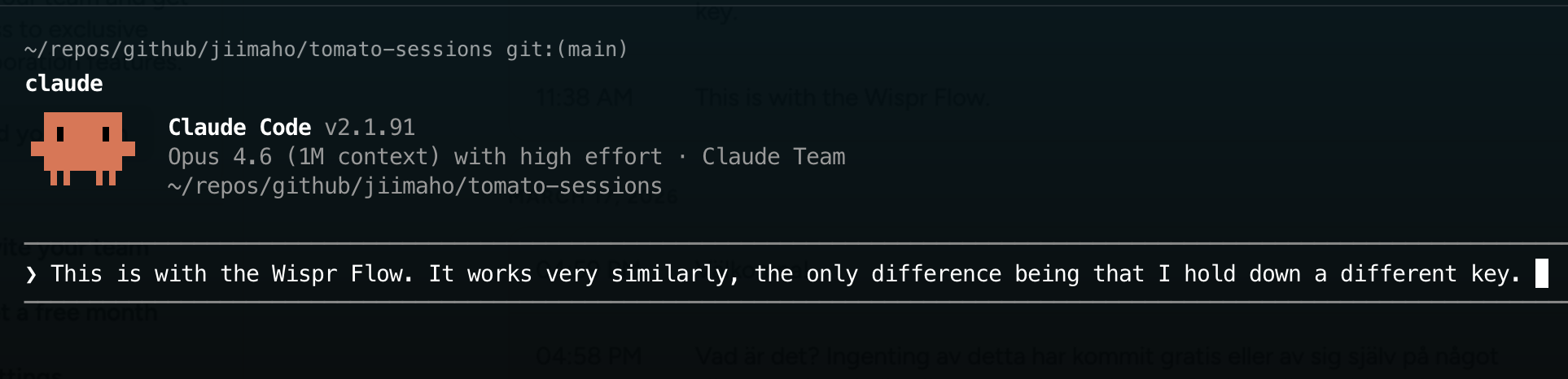
Since Claude's built-in voice tool was so bad, I had to search around and try something else. Very quickly I stumbled upon Wispr Flow and it was so much better. It was free for I think 14 days, so I gave it a shot (around 150 SEK a month otherwise). I almost immediately felt "alright, this is something".
What about using Wispr Flow with Codex?
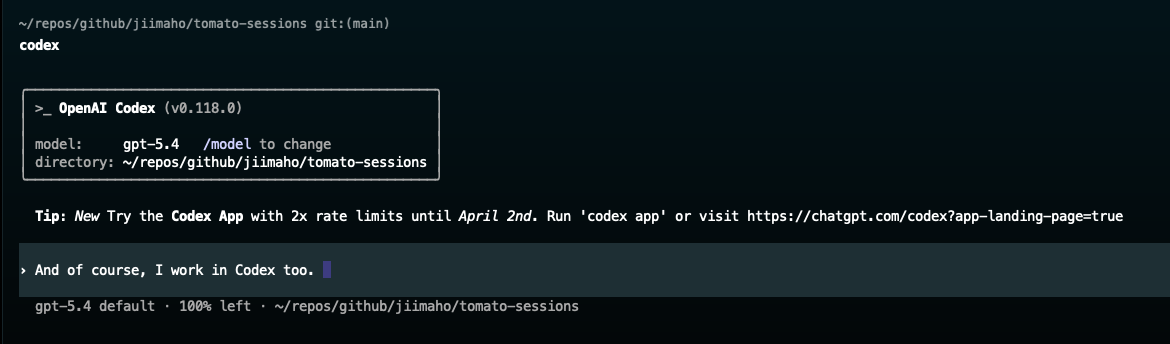
Wispr Flow was easy to use. Instead of holding down space as with Claude itself, you hold down fn (on MacOS at least). Whatever I said, the performance compared to Claude was just way way better. Finally a tool that worked.
Wispr supports different languages and the Wispr Flow app integrates with the keyboard on iPhone, so I could use it and dictate instead of typing on my mobile phone. It has some key features you didn't know you would love, especially dictionary as we will see soon.
Wispr on the phone
One day when I was outside for a walk, I opened the GitHub app on my phone and dictated a new GitHub issue that was a feature request for my Pomodoro timer TomatoSessions. It was really cool. I recorded a few sentences into the body of a GitHub issue, and had another agent that started work on it as soon as I typed a comment on the issue with /lissue (that was another agent triggered by an issue comment on the issue itself). I could offload an idea from my brain and have an AI start working on it immediately, driven by only opening an app and then my voice. That's sweet!
The key dictionary feature
One thing I found very helpful with Wispr is that it has a dictionary feature that lets me help Wispr to understand what I'm saying better. The whole point with a voice tool like this is that it will understand what you say. But some things are seriously weird and close to impossible to guess or assume. At my company we use an identity provider called Auth0. It's not trivial for a voice to understand that that is what i'm saying. Dictionary feature to the rescue! The dictionary feature lets me map "weird words" into real words, like this:
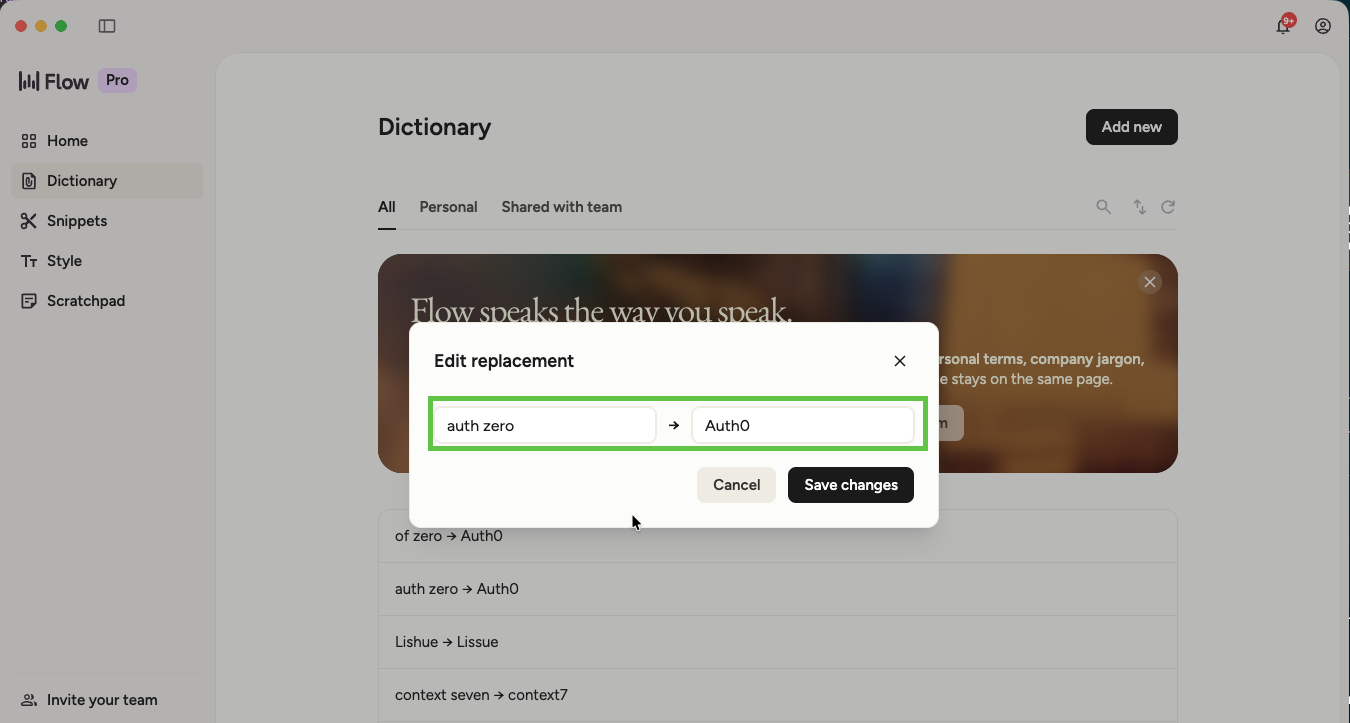
Now all of a sudden when Wispr hears auth zero it gets replaced with Auth0 which is exactly what I want.
I did a few of these mappings as you can see in the background of the image, and actually, it works quite well! Apart from this, Wispr has required zero configuration from my side. One disclaimer though: although it supports multiple languages, I find the tool quite bad to understand both SE and US at the same time, so for me, I usually just enable SE whenever I know I will talk Swedish for some amount of time.
Trying voice mode in Claude Code again
I think it was in the end of March, only two weeks or so ago, when they had fixed voice mode in Claude Code and it actually started to be very good and usable! Everything in terms of how you use it with pressing and holding space was the same, but now it actually works.
All of a sudden, paying extra for Wispr when I already had a Claude Code subscription felt a bit overkill, so I cancelled Wispr.
Claude Code voice mode lacks some quite important features such as an equivalent feature like what Wispr has in terms of dictionary that I shared above, but I can live without that for now and save those dollars. Overall, I'm now happy with native voice mode in Claude:
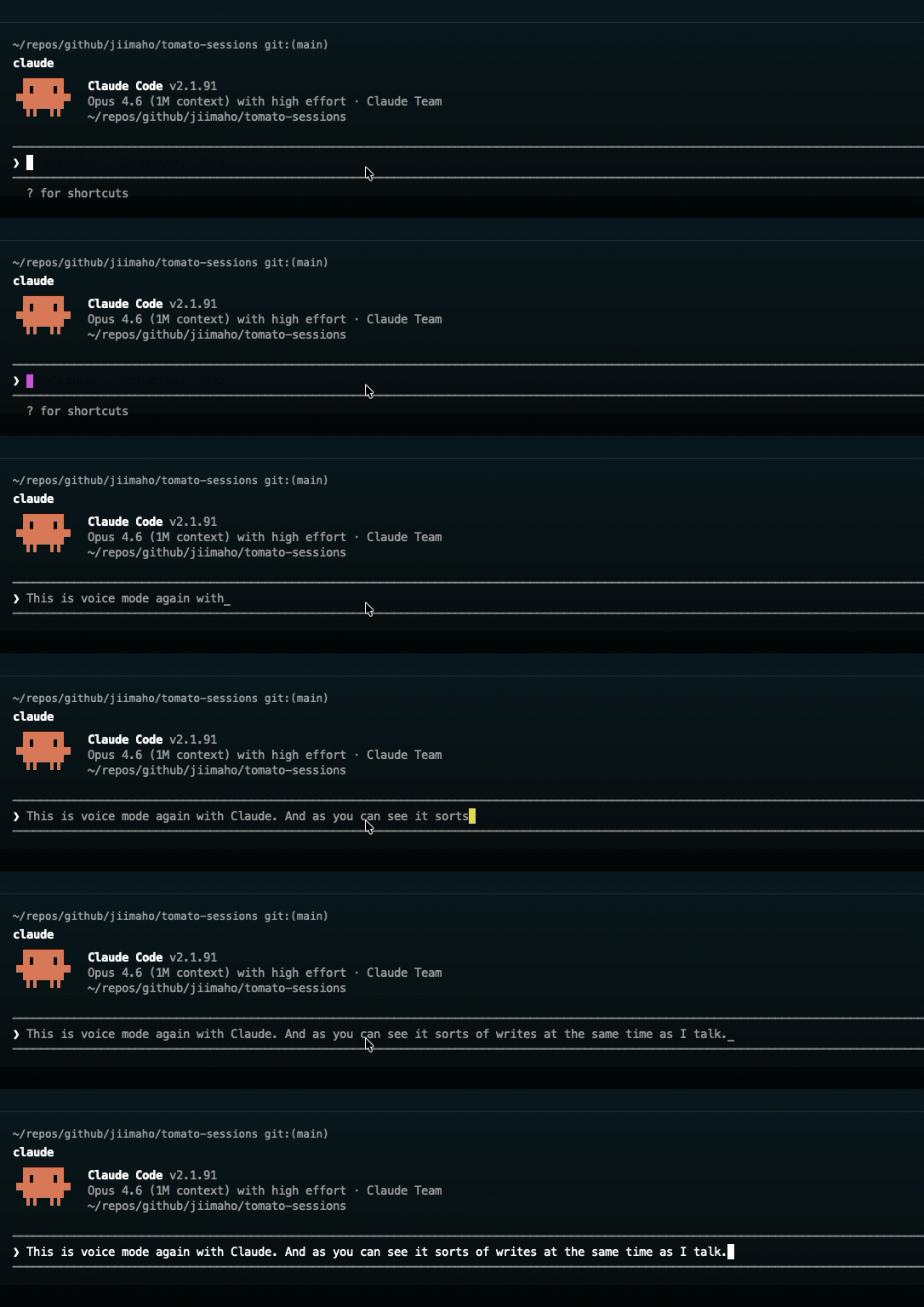
The problem? Still only in Claude of course... To be honest, I use Codex quite often too, so I'm not sure cancelling Wispr was the right choice.
However overall, as long as I sit inside Claude Code, the voice mode is cool and extremely useful.
Why I enjoy using voice
Multiple agents and words per minute
I strongly prefer working on one thing at a time, but occasionally when I do have multiple (3-5 tabs) open in my terminal, oh boy voice is nicer. When you actually talk to one tab, switch to another and talk there, and then open a third and talk there, then you'll notice how much faster it is to talk to your computer instead of typing. Even if you're a very fast typer, voice is really really quick too.
I don't have any official resources I can link in here unfortunately, but I'm pretty confident I've heard multiple times during the years that on average, almost all humans output more words per minute (WPM) by talking compared to writing.
And yes, even if I use one single agent doing one single thing and I literally speaking read the output from the agent to tag along, whenever I do need to input something, voice is way faster and quicker.
Ergonomic standpoint
As developers we are very used to using our hands with a keyboard. If you are like me, someone that has had pain and troubles with my hands and arms for quite a few years, you'll realise that it's very nice to use your voice as a tool.
With the help of our voice, we can offload so much of the hands and arms trouble that we experience. This is not the main reason, but it's definitely one of the reasons why I still like using the voice.
On the balcony or on the go
Another great thing with voice is that you don't need a special keyboard you love. The voice, after all, is keyboardless. Great input from anywhere!
Wispr vs Claude Code
Good with Wispr
- Works in all apps (can be used in Codex too!)
- Supports different languages
- Has a dictionary feature
- Works great on mobile
Good with native voice mode in Claude Code
- Included in your subscription
- Feels a bit quicker than Wispr
Summary
Voice is a great tool in the toolbox that we have as developers and software engineers. I do not see myself stopping using voice in the future. Quite the contrary, I will probably continue to use my voice a lot as the tool for entering my requirements, code, business ideas, and everything in between. There's plenty of reasons, especially ergonomic ones and speed, to use voice. If you are up to it, go and give voice a try as well!
Edit: I will probably re-subscribe to Wispr Flow, because I really really miss a voice tool inside Codex.
Sources:
- My first inspiration of even trying voice: YouTube: OpenClaw: The Viral AI Agent that Broke the Internet - Peter Steinberger
- Inspiration from founder of Claude Code: X: I've been using voice mode to write much of my CLI code this last week